
What is TicketSpice and How to Use it
What is TicketSpice?
TicketSpice is the platform that manages ticket sales for events hosted through Dragonfly Reiki Marketplace.
It is used for:
Event checkout
Attendee tracking
Automated reminder emails to attendees
Providing access to virtual events through the Virtual Event Access page
Every practitioner who hosts events through Dragonfly will receive an invitation to join TicketSpice as a user under the Dragonfly account. You will only have access to view and manage your own events.
Getting Access to TicketSpice
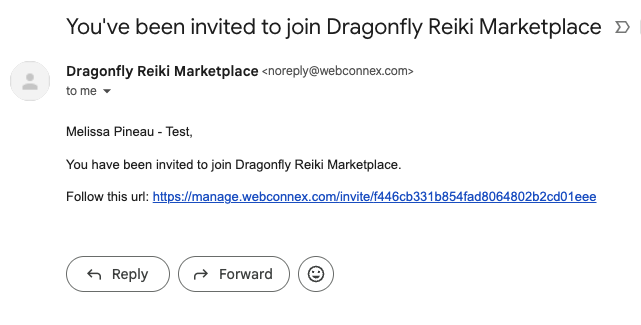
You will receive an email invitation to join Dragonfly Reiki Marketplace via Webconnex, the parent company of TicketSpice.
Open the email.
Click the provided link.
Complete the sign-up steps to create your login.
Once completed, you will have access to your TicketSpice dashboard.
Navigating TicketSpice
Below is an overview of the sections you will see inside your account and what each one means.
Dashboard
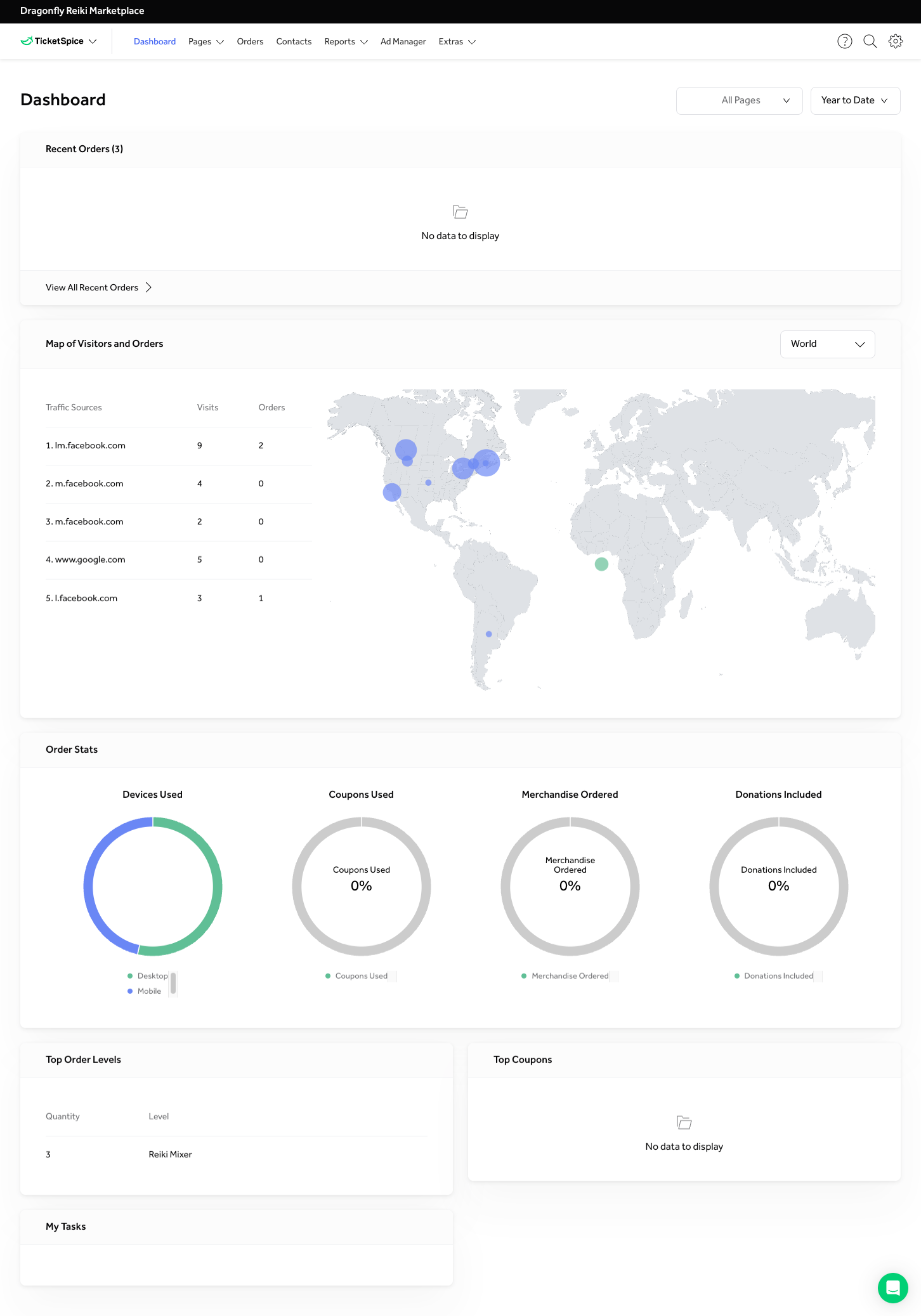
The Dashboard provides an overview of your sales activity.
You may notice that the Recent Orders section appears blank, even if tickets have recently been sold. This is due to permission settings. Practitioners do not have access to view certain detailed order information within TicketSpice.
This is normal and does not indicate a problem.
Pages
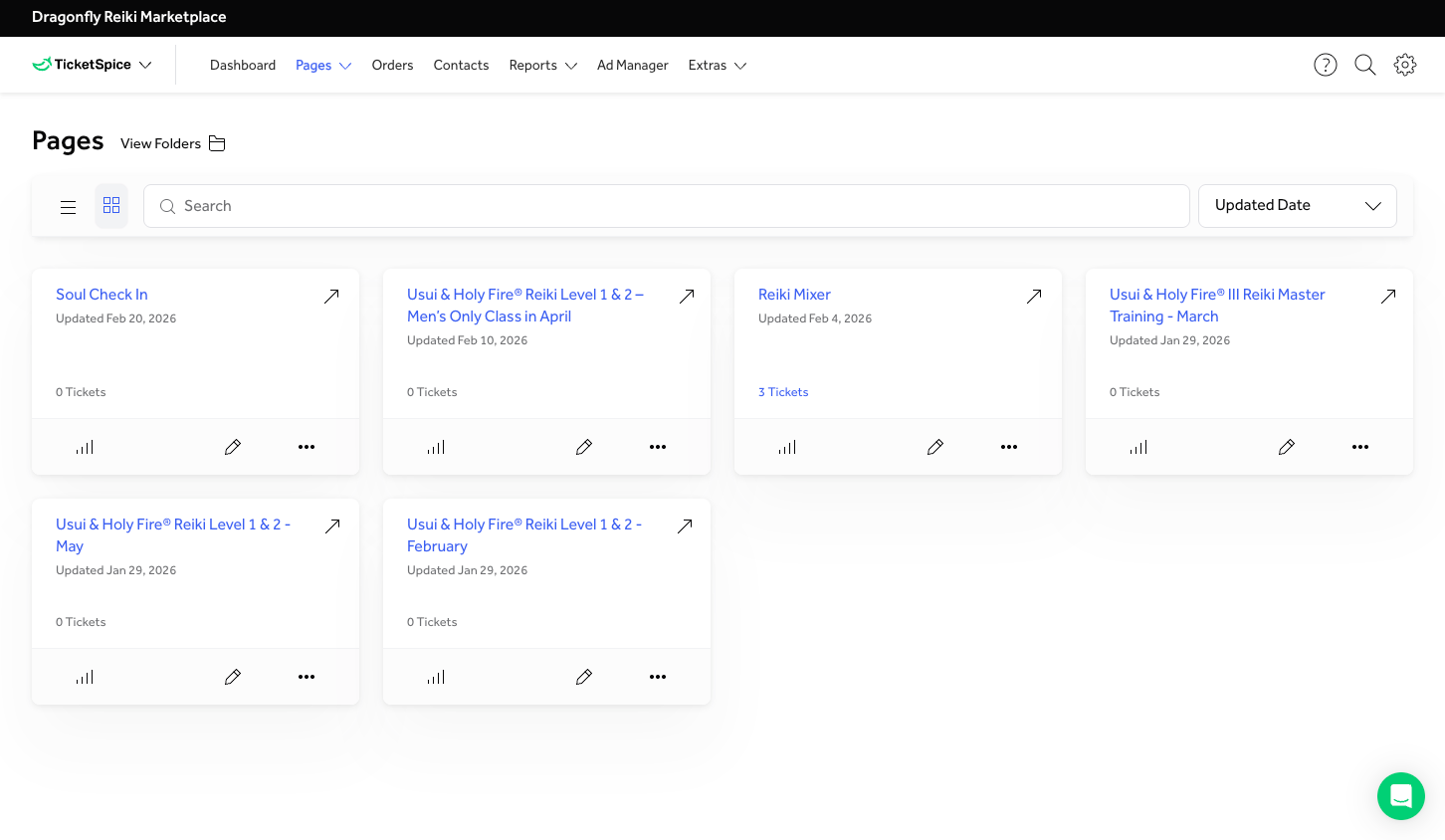
Under the Pages tab, you will see all events you are hosting through Dragonfly.
If your event has ticket sales, the total sales amount will appear on the event card.
Please note:
The total shown includes all sales for that event.
If the event is recurring, the total reflects cumulative sales (not just upcoming dates).
Viewing Event Analytics
By clicking the small graph icon beneath the ticket count, you can access event analytics.
This includes helpful information such as:
Total ticket sales
Page visits
Because Dragonfly uses TicketSpice for checkout only, the visitor count reflects the number of unique visitors to the checkout page — not the main Dragonfly event listing.
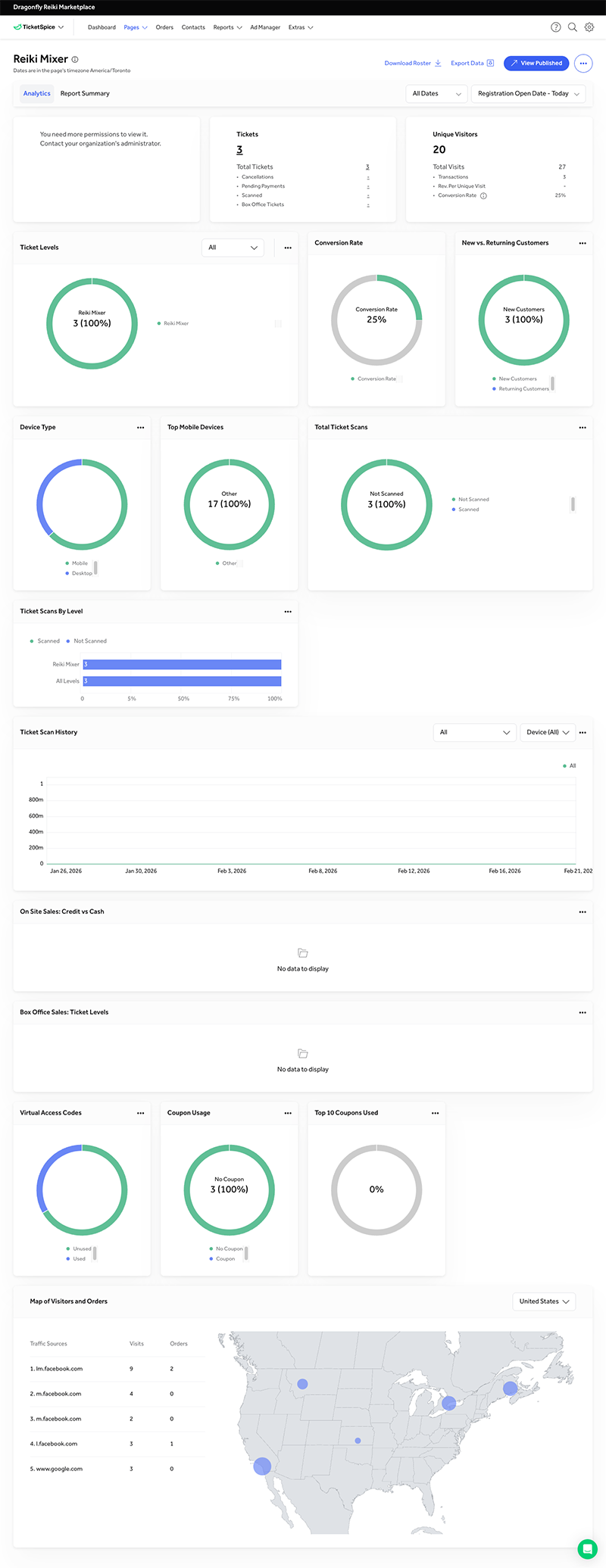
A more detailed walkthrough of event pages will be covered in the next article: “TicketSpice Event Pages.”
Orders
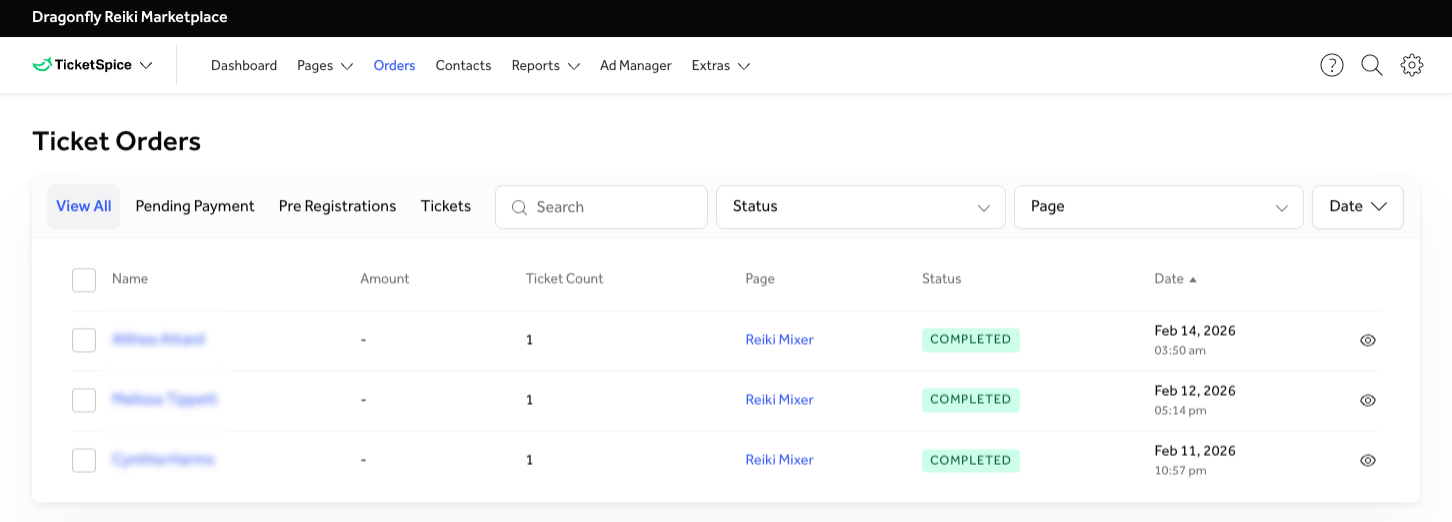
The Orders tab shows a general overview of purchases made for your events.
This section includes:
Purchaser name
Amount paid (free tickets will display as “-”)
Number of tickets purchased (typically 1 for virtual events)
Event name (Page Name)
Order status
Purchase date
Important:
This view does not show which specific event date the ticket was purchased for.
Viewing Ticket Details
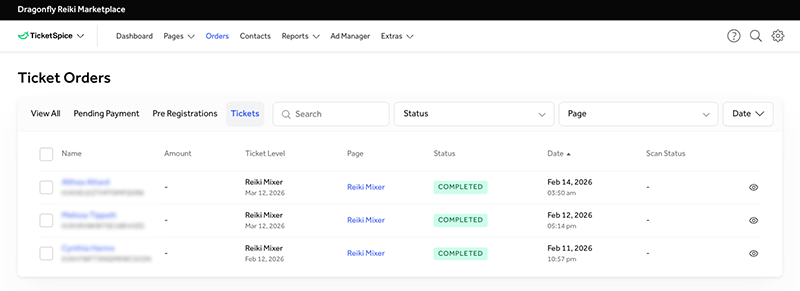
To see which dates were purchased:
Click Tickets within the Orders section.
You will then see:
Individual tickets
The specific dates purchased
Within this view, you can also filter results to make searching easier. You may filter by Event (Page) or by date. This is especially helpful if you host recurring events or want to review attendance for a specific session.
Contacts
The Contacts tab stores attendee contact information.
In most cases, you will not need to access this section.
However, if you need to contact an attendee directly, this is where you can find their information.
Reports / Ad Manager / Extra Tabs
You will not have access to the features within these tabs. The features in these sections are restricted to administrative users.
Important: Ticket Sale Notifications
You will not receive automatic notifications when a ticket is sold.
Before your event, please log into TicketSpice and review your ticket sales to confirm whether attendees have registered.
In Summary
TicketSpice provides you with everything you need to monitor registrations and prepare for your events with confidence. While certain administrative features are restricted, you will always have access to your event pages, ticket sales, and attendee details.
We recommend reviewing your ticket sales before each event to ensure you are fully prepared.